
Australian summers bring heavy storms, and a big downpour can overfill your pool, wash in dirt and leaves and throw out your water balance. A little preparation before the rain and a simple clean-up afterwards will get your pool back to normal quickly.
Before the storm
- Put away loose items. Store pool toys, outdoor furniture, cleaning poles and anything else that strong winds could blow into the pool.
- Don’t empty the pool. Keep the pool full. An empty or partly empty pool can be damaged by rising groundwater.
- Check the water balance and chlorine. Starting with well-balanced, sanitised water makes the clean-up easier.
- Clear drains around the pool. Make sure garden and deck drains are clear so run-off flows away from the pool and the equipment.
- Think about your equipment. Pumps and filters are designed to sit outdoors and normal rain won’t harm them. If your equipment area is likely to flood, plan how you’ll switch the power off safely.
During the storm
If floodwater is rising towards your pump, filter or chlorinator, switch the pool equipment off at the power point or switchboard – only if you can do so safely. Never touch electrical equipment while standing in water.
After the storm
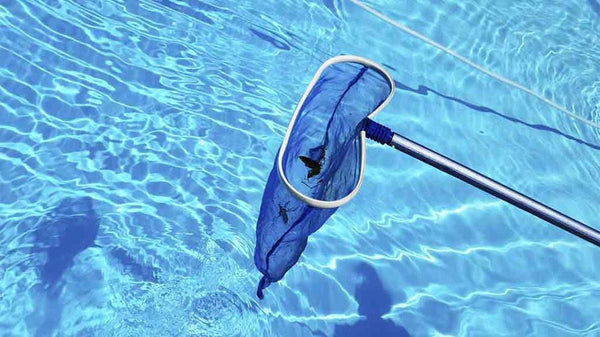
- Remove debris. Scoop out leaves and branches with a leaf net, then empty the skimmer and pump baskets.
- Check your equipment before switching on. If the pump or chlorinator has been underwater, don’t turn it on. Have it checked by a licensed electrician or pool professional first.
- Lower the water level if needed. Water should sit about halfway up the skimmer opening. On a media filter with a multiport valve, such as the Poolrite V2000, you can use the Waste setting to pump excess water out without passing it through the filter. Follow your filter’s instructions and any local rules on where pool water can be drained.
- Brush and vacuum. Brush the walls and floor and vacuum up settled dirt. If there’s a lot of silt, vacuuming to waste stops it going back through the filter.
- Clean the filter. Backwash a media filter or hose down a cartridge, as the extra dirt will quickly raise the filter pressure. See our Pool School guides for help.
- Test and rebalance the water. Rainwater dilutes the pool and can change the pH, alkalinity, chlorine, stabiliser and salt or mineral levels. Test the water, or take a sample to your pool shop, and correct the balance before adding sanitiser.
- Sanitise. If the water is cloudy or green, a shock dose of chlorine may be needed. Follow the product directions, then run the filter for longer until the water is clear.
Stop run-off getting into the pool
If garden beds, lawns or paving regularly wash into your pool during heavy rain, it’s worth fixing the drainage. Soil and mulch add nutrients that feed algae and make the water harder to keep clear. Paving should slope away from the pool, and run-off should be directed to drains away from both the pool and the equipment area. A landscaper or plumber can advise on the best solution.
Need a hand?
If storm damage has affected your equipment, browse genuine Poolrite spare parts, find a Poolrite dealer near you, or contact Poolrite on (07) 3155 6531.
Need a hand?
Our team can help with Poolrite pumps, filters, skimmers and parts. Find a Poolrite dealer near you, or contact us on (07) 3155 6531, Monday to Friday.